


The breakdown.
Performance broken down by ammo, distance, and firearm. Which load is actually shooting tightest? Which rifle has improved since the new optic? The breakdowns answer it.
For iPhone, iPad & Mac
The scorebook for the modern sporting shooter.
The original iOS app to use machine learning for target scoring 5.0 · 2 ratings on the App Store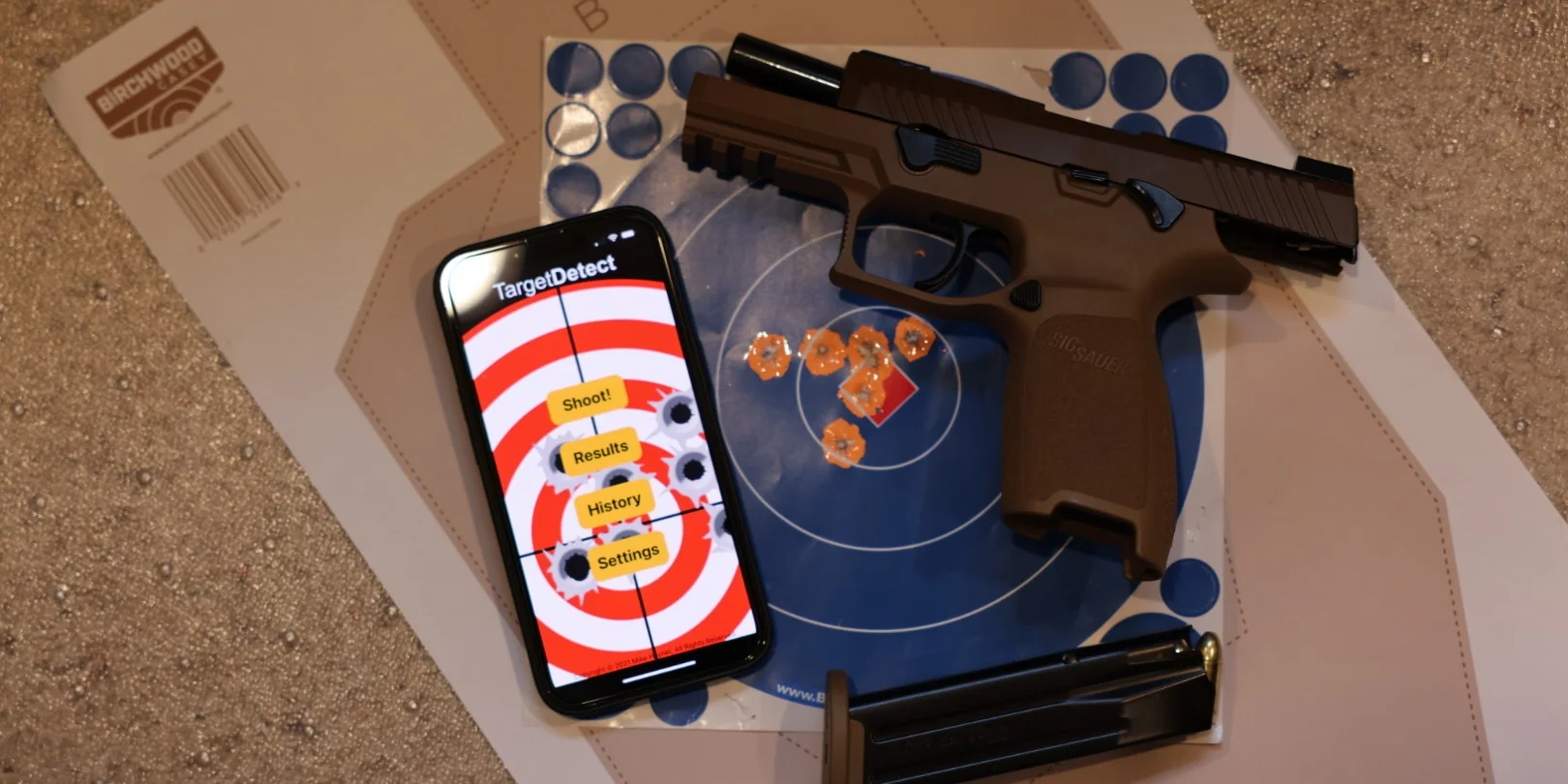
The loop
Start a session. Log the range, the firearm, the conditions — whatever you'd write in a paper book. An optional timer and audio shot detection are there when you want them.
Capture the target right in the app. That's all there is to it.
Machine learning does the heavy lifting on-device, logging your shots in seconds with easy manual adjustments if needed. The session lands in your history, where patterns surface that a paper book could never show you.
Target Detect was built for the precision shooter and the IPSC shooter, the bullseye match and the police qualification course. It scores NRA bullseyes, Appleseed targets, IPSC silhouettes, qualification targets — most paper targets you'd hang on a backer.
Machine learning does the hard part — finding shots and marking them — so scoring runs at the speed of the next magazine, not the speed of a pencil. That makes it practical to track disciplines that used to be too tedious to score by hand.
“You can't improve what you can't measure.”
Measurement
Without feedback, every shooter plateaus.
A 3-inch group from three shots and a 3-inch group from fifteen tell very different stories — but they look identical on a scorecard. Target Detect's primary metric is Circular Error Probable, reported twice over: from your point of aim (accuracy) and from your point of impact (precision). Both hold up across sessions, disciplines, and shot counts. Group size is tracked too — for completeness, not comparison.
Aggregate a season of practice into numbers that actually mean something. Then watch them move.
Target Detect already knows the dimensions of standard targets. Just pick your target type, log your distance, and snap the photo — no reference coins, no manual scaling, no calibration required. Scoring, statistics, and history happen on their own.
The whole point is that measuring your accuracy on every target is finally practical, not a paper-and-pencil chore.
Reports
Target Detect doesn't just record your sessions — it dissects them. Your data shows up three ways: questions answered, geometry visualized, history tracked.
Performance broken down by ammo, distance, and firearm. Which load is actually shooting tightest? Which rifle has improved since the new optic? The breakdowns answer it.
Shot placement on the target, MOA spread analysis, and overlaid groupings that compare different ammo types side by side.
Scores, shot count, flyer rate, and CEP over your whole history. Accuracy (relative to point of aim) and precision (relative to your actual center of impacts) are reported separately — because they're different problems with different fixes.
Across your devices
Target Detect isn't a resized iPhone build. The iPad and Mac versions use purpose-built split layouts — the target on one side, the data on the other — so the dense reports finally have the room they were drawn for. One purchase covers iPhone, iPad, and Mac — no separate buy for each device.


Shot placement, MOA spread, ammo-type overlays — the kind of geometry that wants space.

A year of CEP across the top, the session list beneath. The patterns reveal themselves on a bigger screen.
Privacy
Neither Target Detect nor any third-party service has access to your scorebook. No analytics, no advertising or attribution SDKs, no third-party services of any kind. Target Detect doesn't phone home, doesn't ship logs to a backend, and doesn't ask you for an account.
Buy it once. Every future update is yours, free. No subscription, no “version 2.0” upsell.
It uses iCloud, already on your phone.
Apple encrypts your data in transit and at rest.
Shot data exports as CSV, target images as PNG — standard formats, readable anywhere. Your data isn't locked into the app.
Built like a tool, not a service.
Download Target Detect from the App Store.
 5.0 · 2 ratings on the App Store
One purchase covers iPhone, iPad, and Mac. Requires iOS 18 or later, or a Mac with Apple Silicon.
FAQ
Apple's standard encryption protects it in transit and at rest. If you use Advanced Data Protection on your Apple ID, it's end-to-end encrypted as well. More detail in Privacy & iCloud.
A machine learning model trained specifically on shooting targets finds the shots and scores them automatically. The model runs entirely on your phone — your photos are never uploaded anywhere — and every shot can be moved, added, or removed manually if you want to fine-tune the result. Step-by-step walkthrough in Scoring a Target.
As far as we've been able to determine, yes — the original target scoring app using machine learning. We announced machine learning-powered shot detection at our 1.0 release on February 10, 2022, before any other target-scoring app had announced machine learning of their own.
Target Detect supports around 90 paper targets covering most major disciplines:
The full set is in the target picker on the Shoot screen. If you regularly shoot a target type that isn't included, let us know and we'll consider adding it.
The in-app camera includes perspective correction and lighting filters for cleaning up awkward shots — there when a photo needs help before scoring. See Editing a Target Image for the full toolset.
CEP (Circular Error Probable) is a statistical measure of accuracy — the radius of the circle that contains a defined share of your shots. Unlike group size, it isn't thrown off by a single flyer and it's comparable across different shot counts and sessions. That means a three-shot string and a fifteen-shot string can be measured on the same scale, and a year of sessions can be aggregated into trends that actually mean something. See how it's presented in Reading a Session Analysis.
It's built on a statistical method (modified Z-score with Median Absolute Deviation) chosen specifically so a single wild shot can't skew the baseline it's trying to flag — ordinary standard-deviation math doesn't hold up the same way. That makes it a good separate lens from your CEP trend: use it to catch diagnostic patterns like technique slippage or equipment issues without those blending into your overall accuracy numbers. See Reports & Analysis for where to find it.
No. Target Detect syncs through your own iCloud account using Apple's CloudKit. The developer has no API path to read what you store. The only thing we ever see is an image you choose to attach when emailing for support. Full detail in Privacy & iCloud.
No. The app doesn't phone home — on launch, in the background, or otherwise.
No. Target Detect is a one-time purchase from the App Store. Buy it once, own that copy.
No. Every update to Target Detect is included with your one-time purchase — new features, design refreshes, iOS compatibility, all of it. Buy it once; that's the deal forever.
Yes. The app runs entirely on-device. Internet is only needed if you want iCloud sync between devices.
Only if you choose to enable it. With location turned on, the app can recognize which range you're at and prefill the range field for new sessions — that recognition happens entirely on your device. Location is off by default and never leaves your phone. Toggle it in Settings.
Yes — two separate features for two different needs:
Step-by-step in Backup, Restore & Export.
It stays in your iCloud — that's yours, not the app's. Reinstall on any device signed into the same Apple ID with iCloud enabled, and your scorebook syncs back. You can also wipe it whenever you want from Settings → Apple ID → iCloud → Manage Account Storage.
iPhone or iPad running iOS 18 or later, or a Mac with Apple Silicon.

